
An AI chat assistant is a chat window on your site that answers visitors from your own pages. For some small sites it saves a lot of repeat answering. For others it is one more thing to check every month. This post walks through how SiteBrain, the one we make, works on a real site, where it stops being useful, and how to decide with your own numbers.
Everything below was checked on 4 November 2026. The screenshots are public pages: sitebrain.app, its pricing page, and peterdooley.ie, a site we built for the first Website Grant that runs the assistant for real. We asked it three questions ourselves. No dashboard, customer data or private conversation appears anywhere.
What the assistant does, step by step
SiteBrain's own homepage lists three steps (sitebrain.app, 4 November 2026):
- You enter your website address. SiteBrain reads up to 25 of its pages.
- It turns those pages into answers about your services, prices and policies. You test them and can add your own instructions.
- You paste one line of code into the site. WordPress, Shopify, Wix and Squarespace each have step-by-step install guides.
You can also add up to 20 documents (PDF, Word, text, images or notes), and the pages are re-read weekly (sitebrain.app/pricing, 4 November 2026).
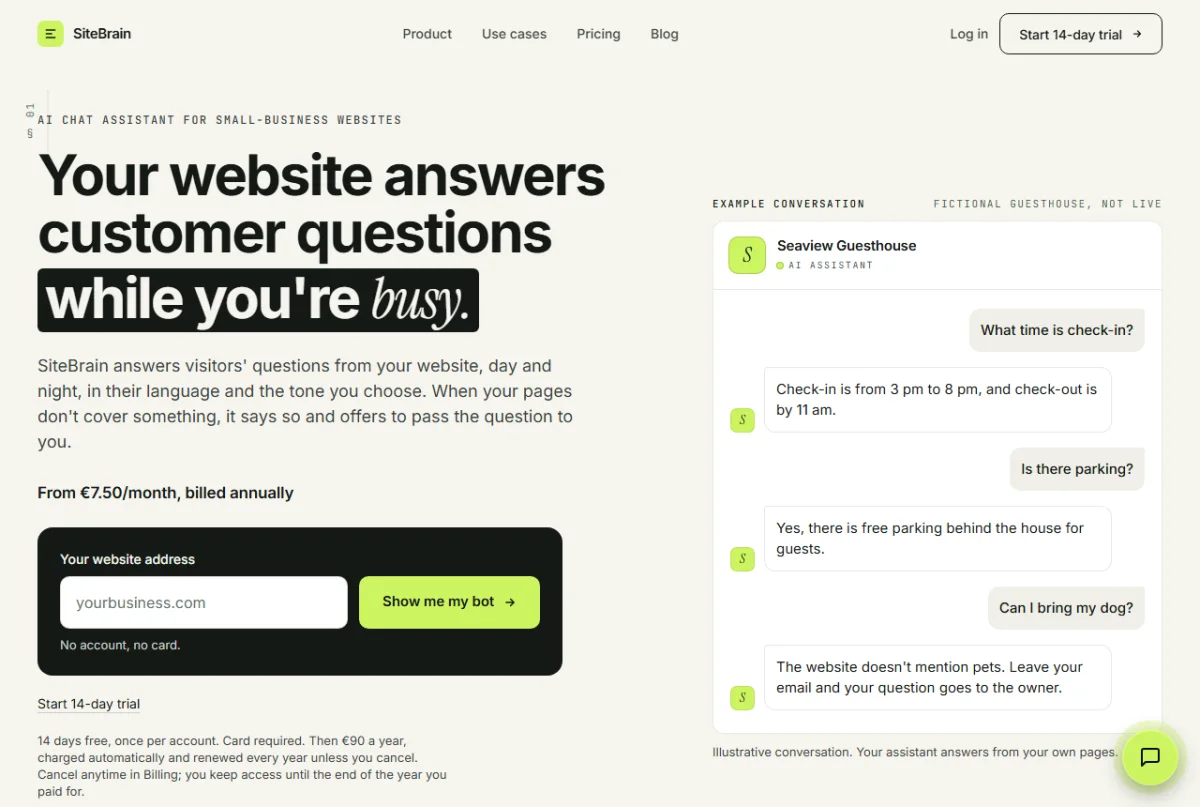
The part worth noticing in that example chat is the last question. In that example chat, the guesthouse's pages do not mention pets, so the assistant says so and offers to pass the question to the owner. It does not guess.
What it looks like on a live site
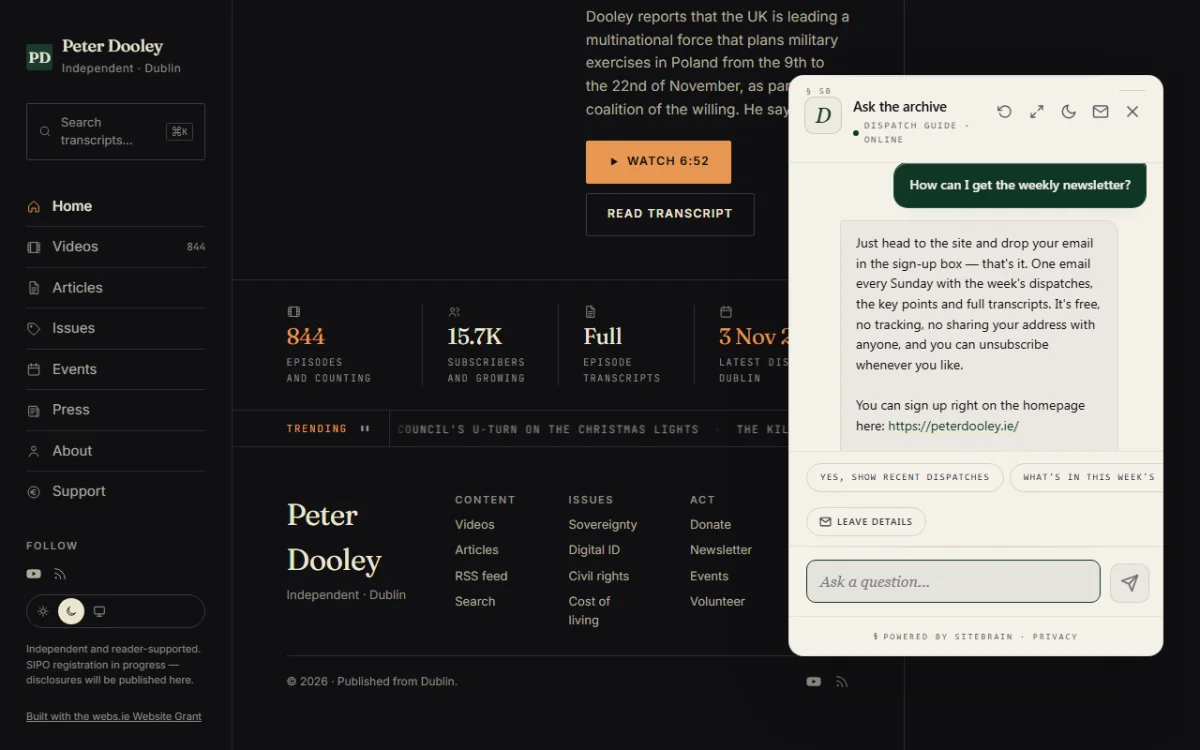
On peterdooley.ie the assistant is called "Ask the archive". We asked it how to get the weekly newsletter. It answered from the site: a free email every Sunday, with the week's dispatches and transcripts, and where to sign up. We asked the same question twice and the wording differed while the facts matched. Expect that: each answer is written fresh, so the wording varies even when the content stays put.
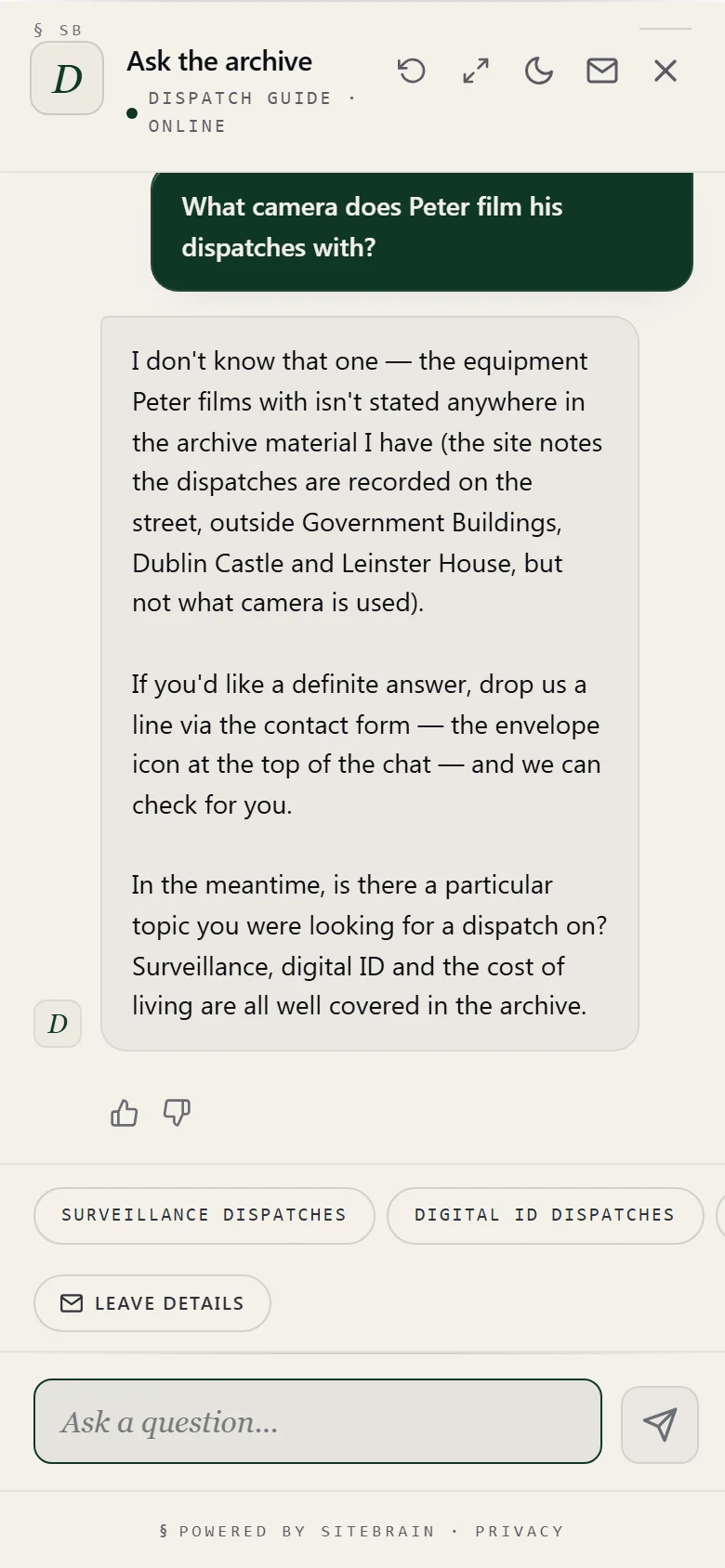
Then we asked something the pages do not answer: what camera Peter films with. The assistant said it did not know, said the equipment is not stated in the material it has, and pointed to the contact form behind the envelope icon. That is the behaviour you want from a small-business assistant. A confident wrong answer about opening hours or a price costs you more than "I don't know, ask the owner".
Where it falls short
These are limits we measured or that SiteBrain's own pages state.
It can only be as good as your pages. It reads up to 25 pages, weekly (sitebrain.app/pricing). If you change a price on Monday, the chat can quote the old one until the next weekly read. If the real answer lives in your head, a phone call or a Facebook post, the assistant does not have it. Silence is a trap, and we have tested it. On 29 September 2026 we ran an internal test of our own SiteBrain bot, with no customer involved. It answered questions the pages never mentioned as if they did: it said it had no office, and that it did not offer phone support, when neither was written anywhere. We rewrote its rules so that missing information means "not stated", never "no". The behaviour in the phone screenshot above is the result. SiteBrain's homepage says it is "designed to say so rather than guess" and adds that, like any AI, it can still get things wrong, so test it first. We agree with that wording. Try it with ten real questions from your inbox before you put it live. The button can be missed. In our test on peterdooley.ie the chat button stayed hidden at the top of the page and appeared only after we scrolled. A visitor who reads the top and leaves never sees it. If you install one, scroll your own site on a phone and check where it shows up. It is a software subscription, with a card. There is no setup fee, but the 14-day trial needs a card at checkout (sitebrain.app/pricing). Starter is €9 a month, or €90 a year billed annually (about €7.50 a month), for one chatbot and 150 conversations a month (sitebrain.app/pricing, 4 November 2026). Pro is €39 a month for five chatbots and 2,000 conversations (sitebrain.app/pricing, 4 November 2026). Agency is €99 a month for ten chatbots and 7,500 conversations (sitebrain.app/pricing, 4 November 2026). A conversation is one visitor's chat, however many messages it contains. At the limit, answers continue to 120% of it, then visitors are asked to leave their question and contact details until the month resets, with no overage charge (sitebrain.app/pricing, 4 November 2026).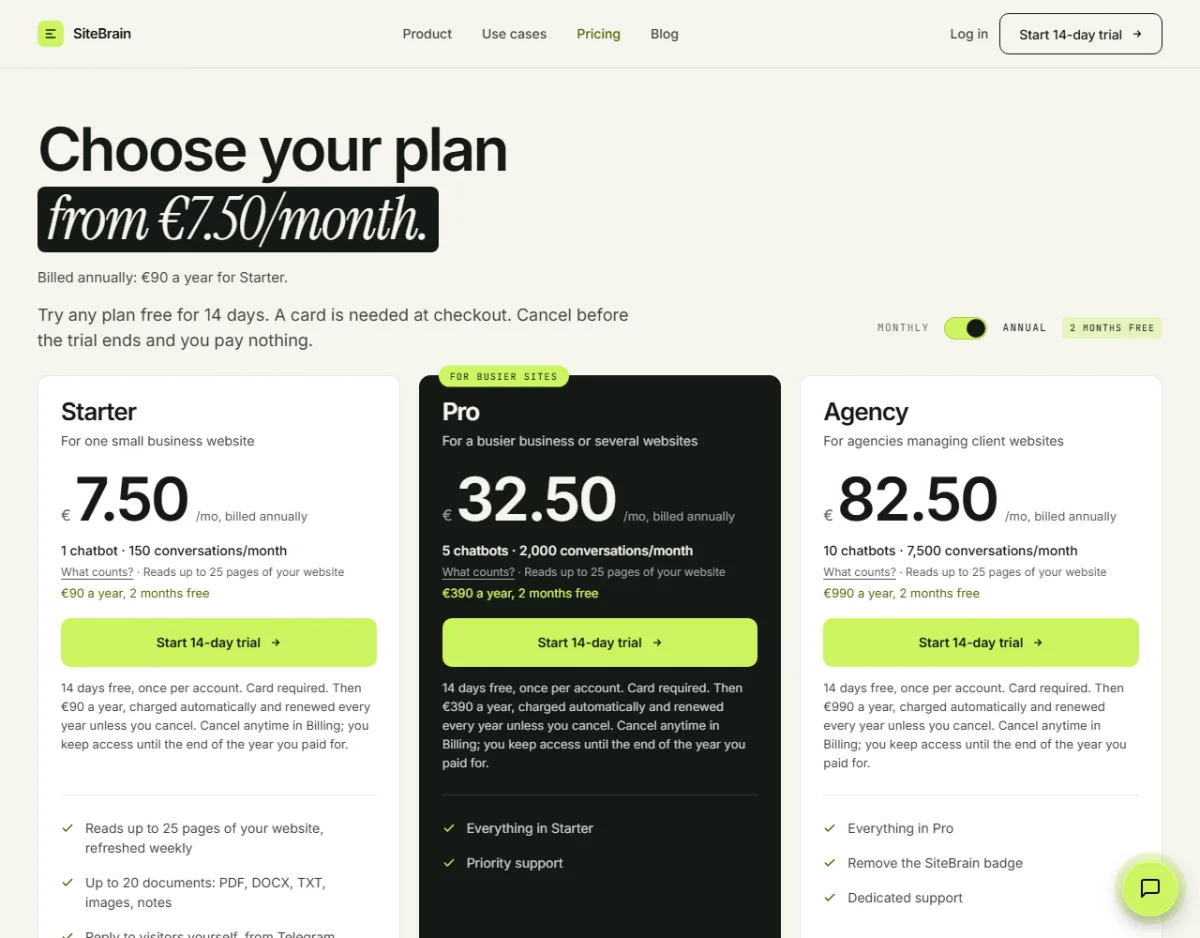
When it is not worth it
Skip it if any of these describe you.
- Your site is one page and your phone number is at the top. There is little to ask that a visitor cannot see at a glance.
- You hardly get repeat questions. An assistant earns its keep on questions you answer again and again: hours, areas covered, how a quote works. If your inbox is mostly one-off jobs, it has nothing to take off you.
- Nobody will read what it cannot answer. Questions it passes on arrive as messages. If they sit unread for a week, you have built a slower contact form.
- A wrong answer would be costly. For medical, legal or safety advice, a chat assistant is a poor front line. Keep it to the facts your pages state, or leave it off.
- The facts are not on the site yet. Fix the pages first. It uses your pages as reference material but can still invent answers.
A quick way to decide with your own numbers
Do this before you spend anything, with your own figures rather than ours:
- Count how many messages or calls in the last month asked something your website already answers.
- Multiply by the minutes each took to answer.
- Compare that time with the plan price, for example €9 a month for Starter (sitebrain.app/pricing).
If the answer to step 1 is two or three, a clearer page will help you more than a chat window. If it is dozens, and the time it would save looks larger than the time you would spend checking its answers plus the plan price, an assistant is worth a trial.
Where this fits with a webs.ie website
Website builds from us are one-time fees with no monthly charge, and every build includes the CookieBrain cookie banner (webs.ie, 4 November 2026). SiteBrain is separate and optional, from €9 a month, on your own subscription, and you install it yourself. If you want the cost and integration side in more detail, read AI chatbot for a small business website: costs, integration and what to ask first. If the real gap is phone calls rather than website visitors, see the AI receptionist post. For a price on the site itself, start at webs.ie/quote.
